
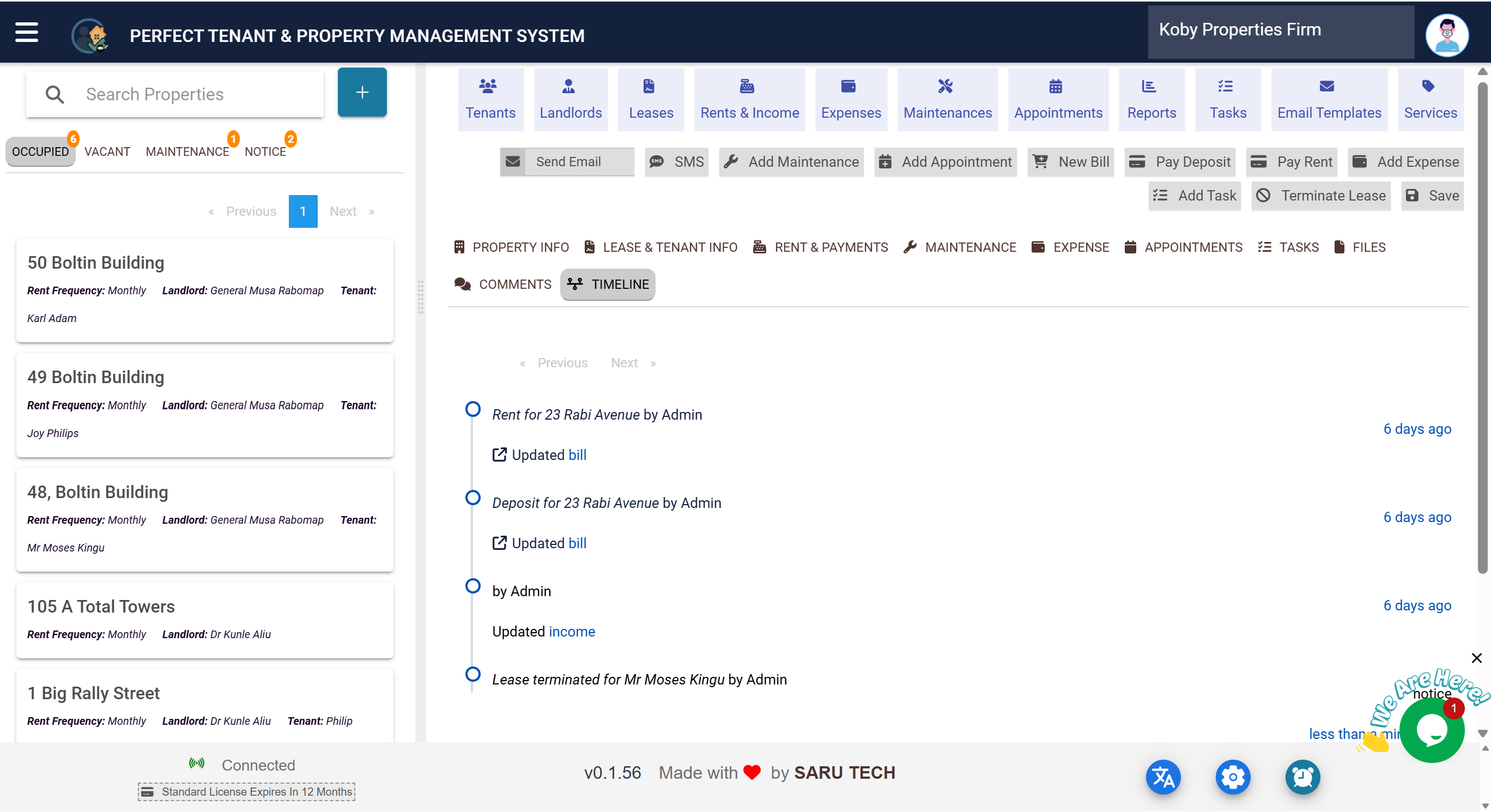
🕓 How to View Property Timeline History
The Timeline tab provides a chronological history of all activities and changes related to a property. It acts as an audit trail, helping you see who did what and when.
📋 What You Can Do in the Timeline Tab
- Review a complete log of property events such as rent payments, maintenance updates, and file uploads.
- See which user performed each action and when.
- Click linked entries to view related records directly.
✅ Using the Timeline Effectively
Each timeline entry includes:
- Event Type – What happened (e.g., “Rent Paid”, “Lease Terminated”).
- Date and Time – When the event occurred.
- User – Who performed the action.
- Module – The part of the system where the event originated.
Click on linked items to open the associated record for more details.
💡 Tips
- Use the timeline during audits or handovers to understand property history.
- Search for specific events or filter by date to quickly locate entries.