
Create facilities, connect them to the correct customer, attach site information, and keep assets and maintenance work organised by location.
A facility is the physical location where assets are installed and maintenance work takes place. It may be a building, branch, warehouse, clinic, office, production site, school, estate, or other managed location.
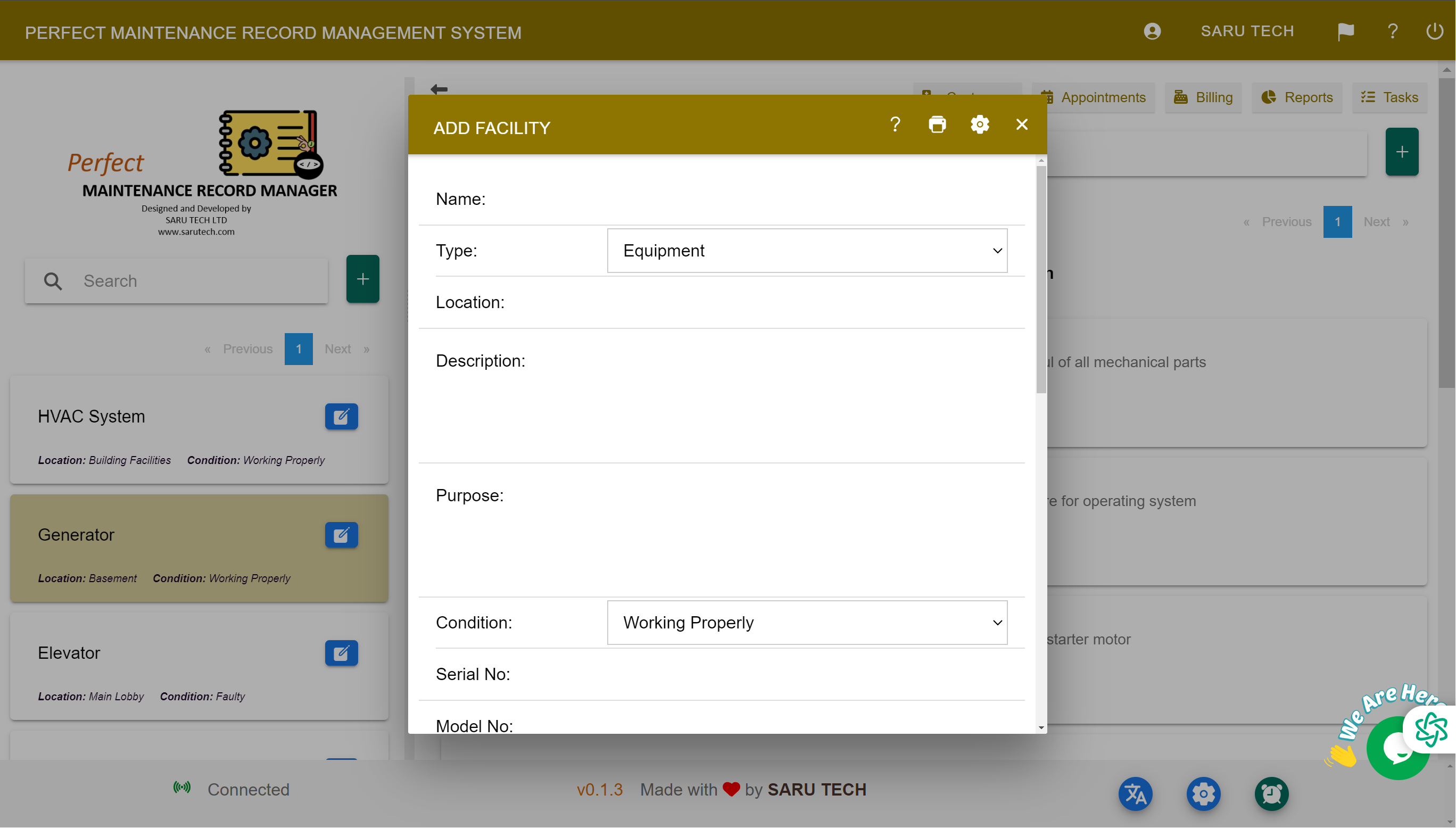
Add a facility
- Open Facilities from the main navigation.
- Select Add Facility.
- Enter a clear facility name, address or location, description, and any other useful site details.
- Select the customer responsible for the facility when you manage sites for different clients.
- Attach relevant site files, such as access instructions, plans, safety information, or service agreements.
- Select Save.
Use consistent facility names
Choose names that remain clear in filters and reports. For example, “North Warehouse” is more useful than “Warehouse” when the same customer has several locations. Include a branch, building, or town reference where necessary.
Find and maintain facility records
Return to Facilities whenever you need to search for a location, correct its address or description, change the connected customer, or add current site documents. Keeping the facility record current prevents assets and maintenance work from being recorded against an outdated or incorrect location.
A facility is the middle level of the service structure: the customer owns or controls the location, the facility contains the assets, and the assets receive reactive and scheduled maintenance. This relationship lets users filter work by client, site, or individual item of equipment.