

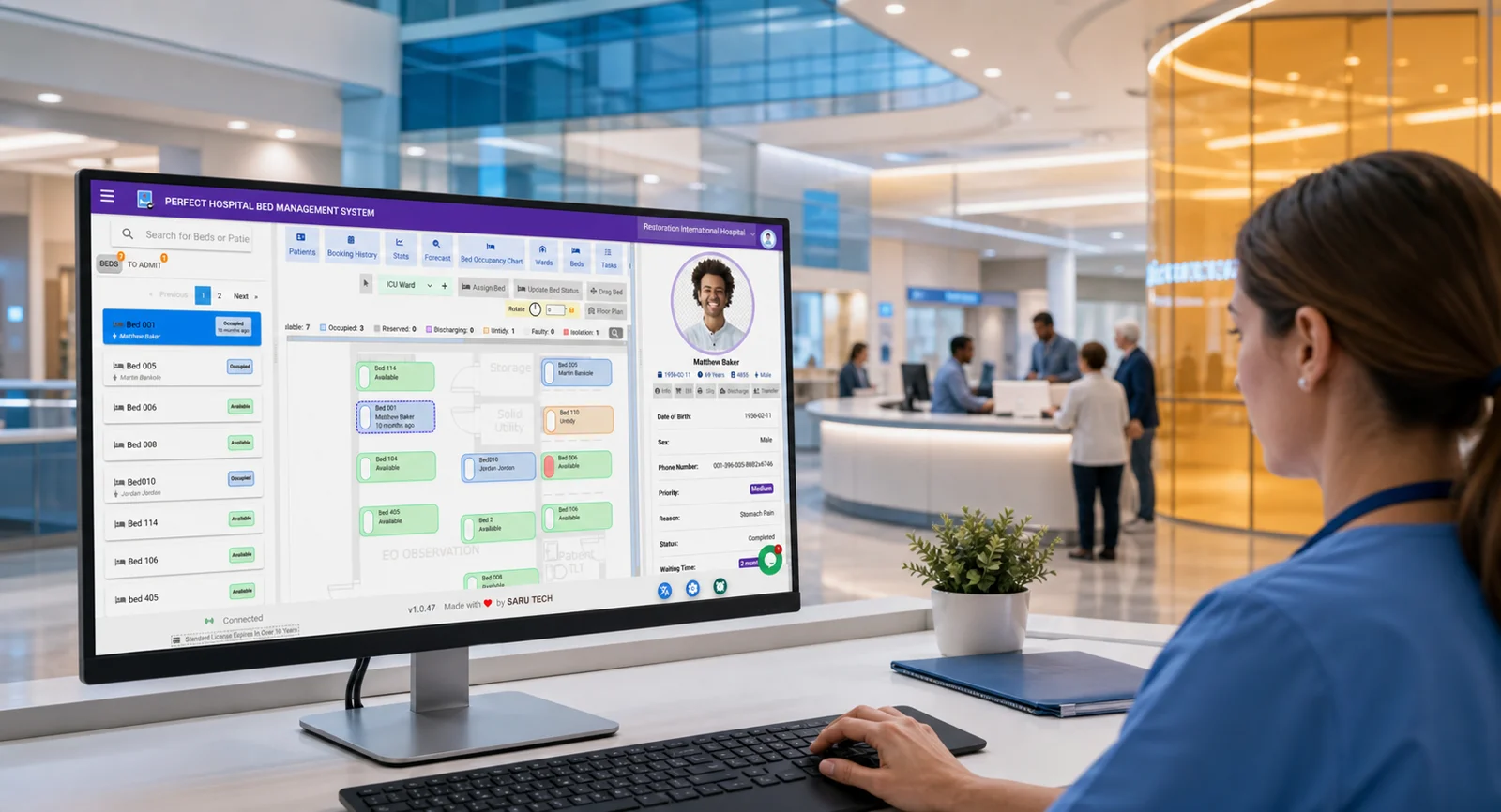
Reduce bed conflicts and double bookings.
Why teams choose it
Designed to create practical business results
Move patients through admission, transfer, and discharge faster.
Give managers live visibility into occupancy and ward capacity.
Core capabilities
Everything your team needs for the daily workflow
Live bed board
View available, occupied, reserved, and cleaning beds at a glance so staff can act quickly.
Admission and transfer tracking
Record patient movements with clear timelines and auditable history.
Occupancy reporting
Monitor ward usage, turnover, and trends for better capacity planning.
Detailed walkthrough
Perfect Hospital Bed Management System product details
Keep bed availability, admissions, transfers, and discharges visible in real time.
In modern healthcare facilities, efficient management of hospital beds is crucial to ensuring optimal patient care and operational effectiveness. The Perfect Hospital Bed Management System is a state-of-the-art solution specifically designed to streamline the process of bed allocation and improve the overall management of hospital resources. This innovative system addresses the critical pain points faced by healthcare administrators, including bed shortages, patient wait times, and the coordination of patient admissions and discharges.
Background and Challenges
Hospitals often struggle with bed availability, which can lead to increased wait times, patient dissatisfaction, and reduced quality of care. The challenges in bed management include inefficient use of resources, lack of real-time data on bed occupancy, and cumbersome processes for patient transfers and discharges. These issues can cause bottlenecks in patient admissions, unnecessary delays in patient care, and increased operational costs.
Key Features of the Perfect Hospital Bed Management System
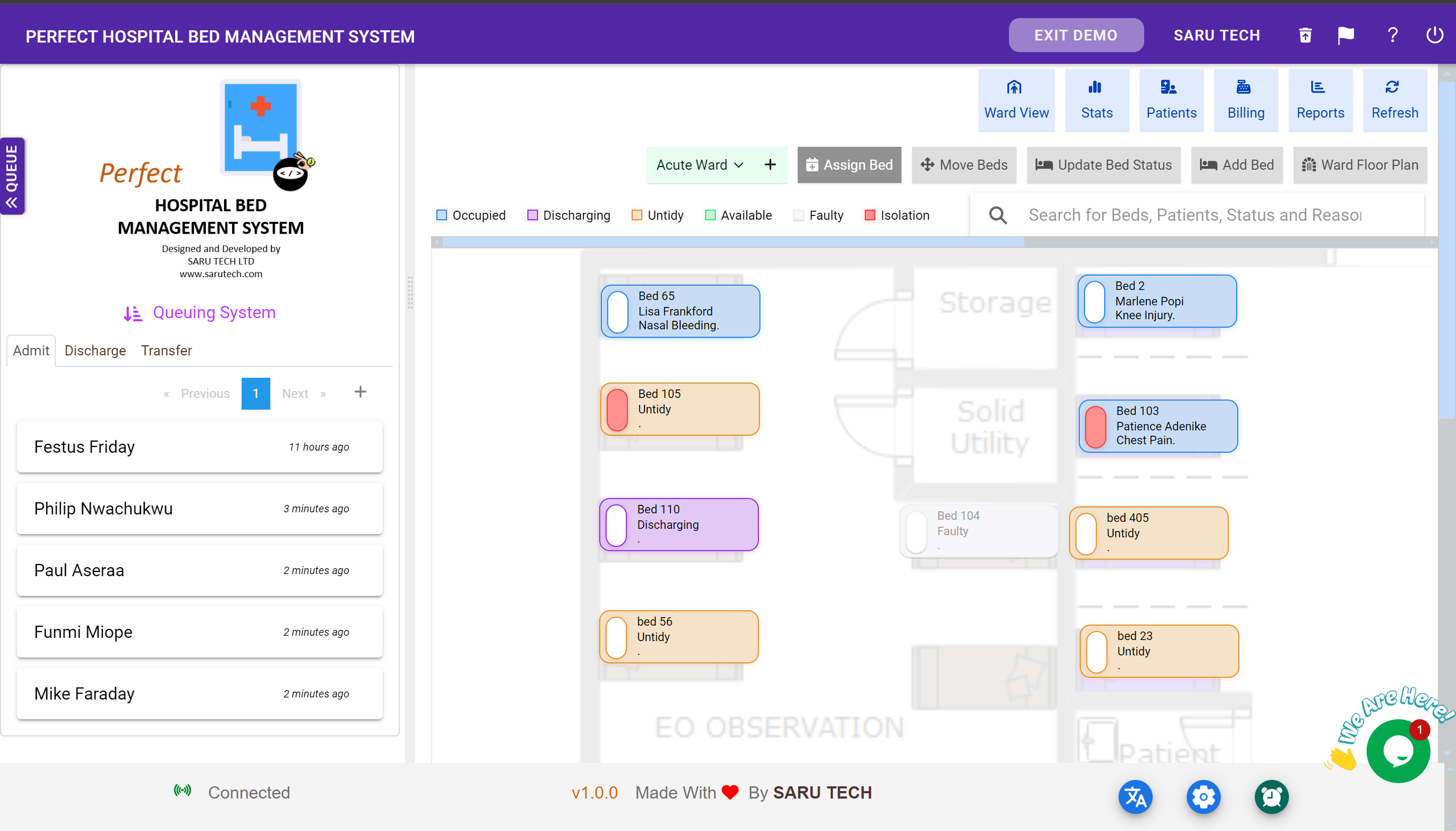
Hospital Bed Layout Digital Twin
This feature offers a digital twin of the actual hospital bed layout, providing administrators and healthcare providers with a real-time, virtual representation of bed usage across the facility. This visual tool helps in quick decision-making and enhances the coordination of bed allocation based on patient needs and room availability.
Real-Time Bed Availability Tracking
The software provides real-time occupancy status (whether occupied, reserved, or available)of beds across various units, enabling quick identification of available and suitable beds for patient admission. This ensures that the healthcare staff can quickly identify available beds, thereby reducing patient wait times and optimizing bed utilization.
Queue and Waitlist Management
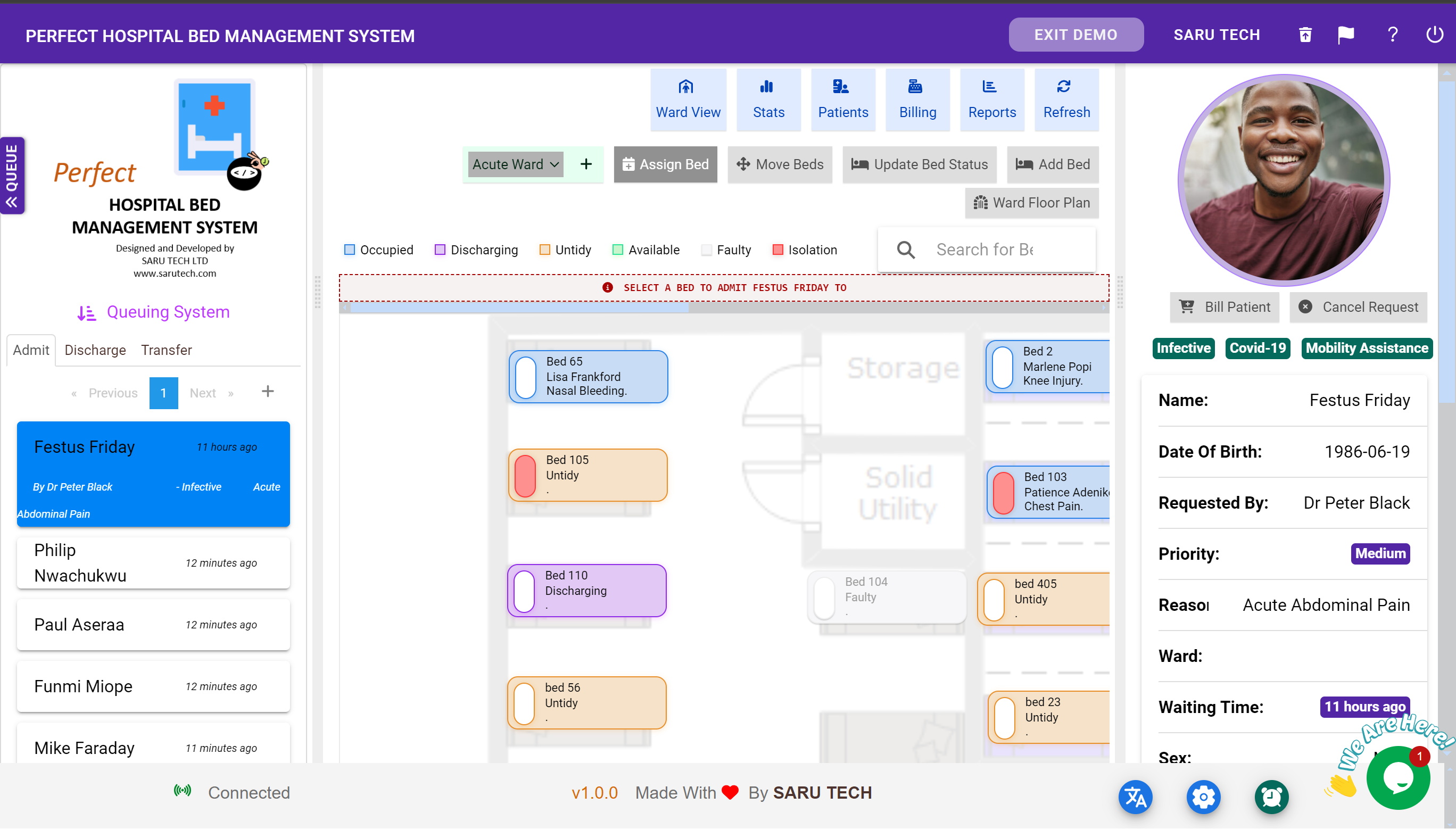
The software Integrate a structured patient queue system for bed allocation, this feature allows the prioritization of patients based on clinical urgency and other criteria, ensuring that beds are allocated fairly and efficiently. This system helps manage patient flow smoothly, especially during peak times or emergencies.
Patient Transfers and Discharge
Facilitating seamless patient transfers within the hospital, this feature streamlines the process of moving patients between departments or specialized units. It ensures that transfers are handled efficiently, with minimal disruption to patient care and without the need for redundant paperwork.
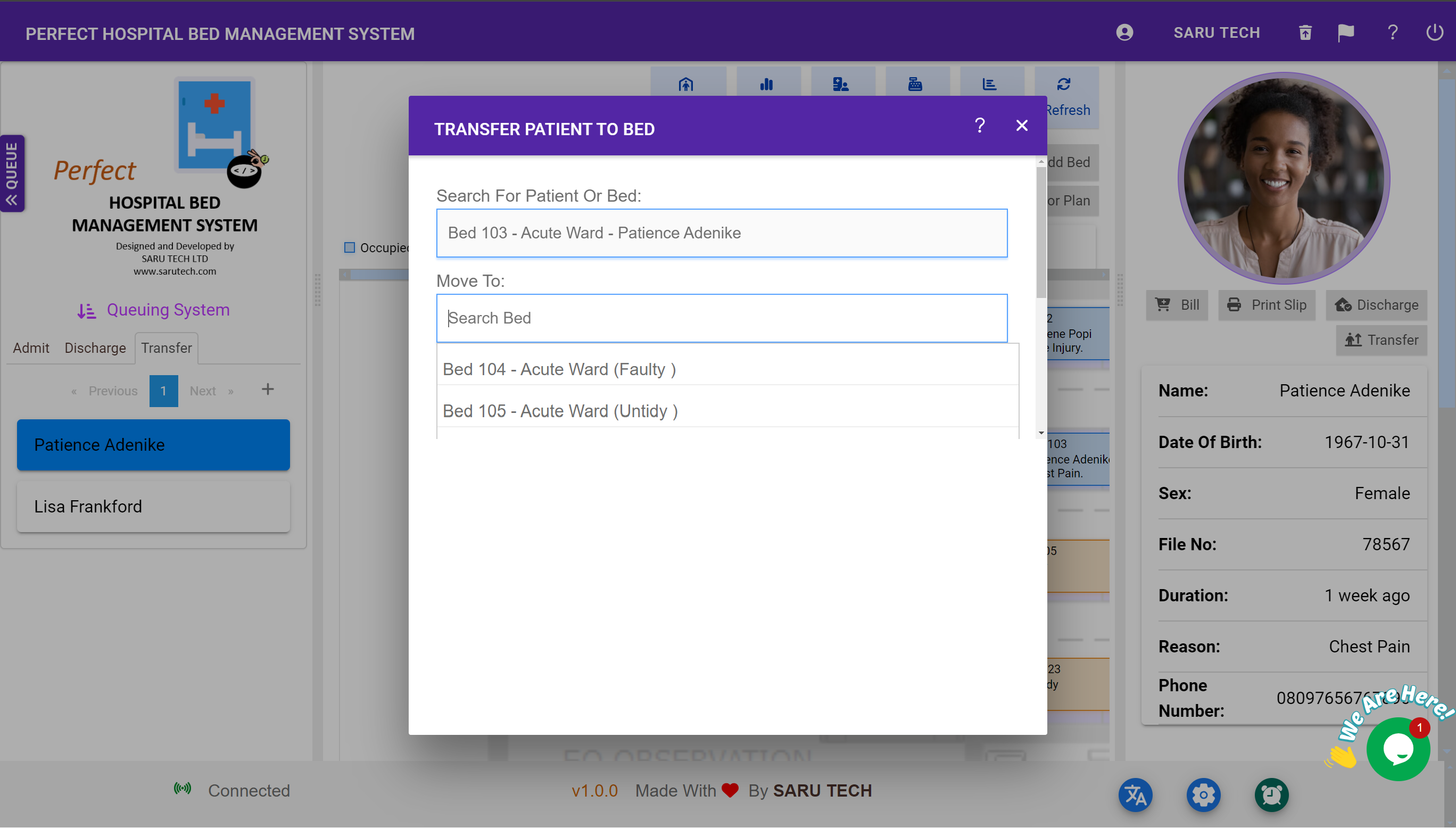
The system also simplifies the discharge process by automating many of the administrative tasks involved, such as final bill preparation and discharge notifications to housekeeping. This speeds up the process, allowing for quicker bed turnover and improved patient throughput. It notifies staff about patients ready for discharge or transfer automatically, facilitating efficient patient flow and minimizing delays in care transitions.
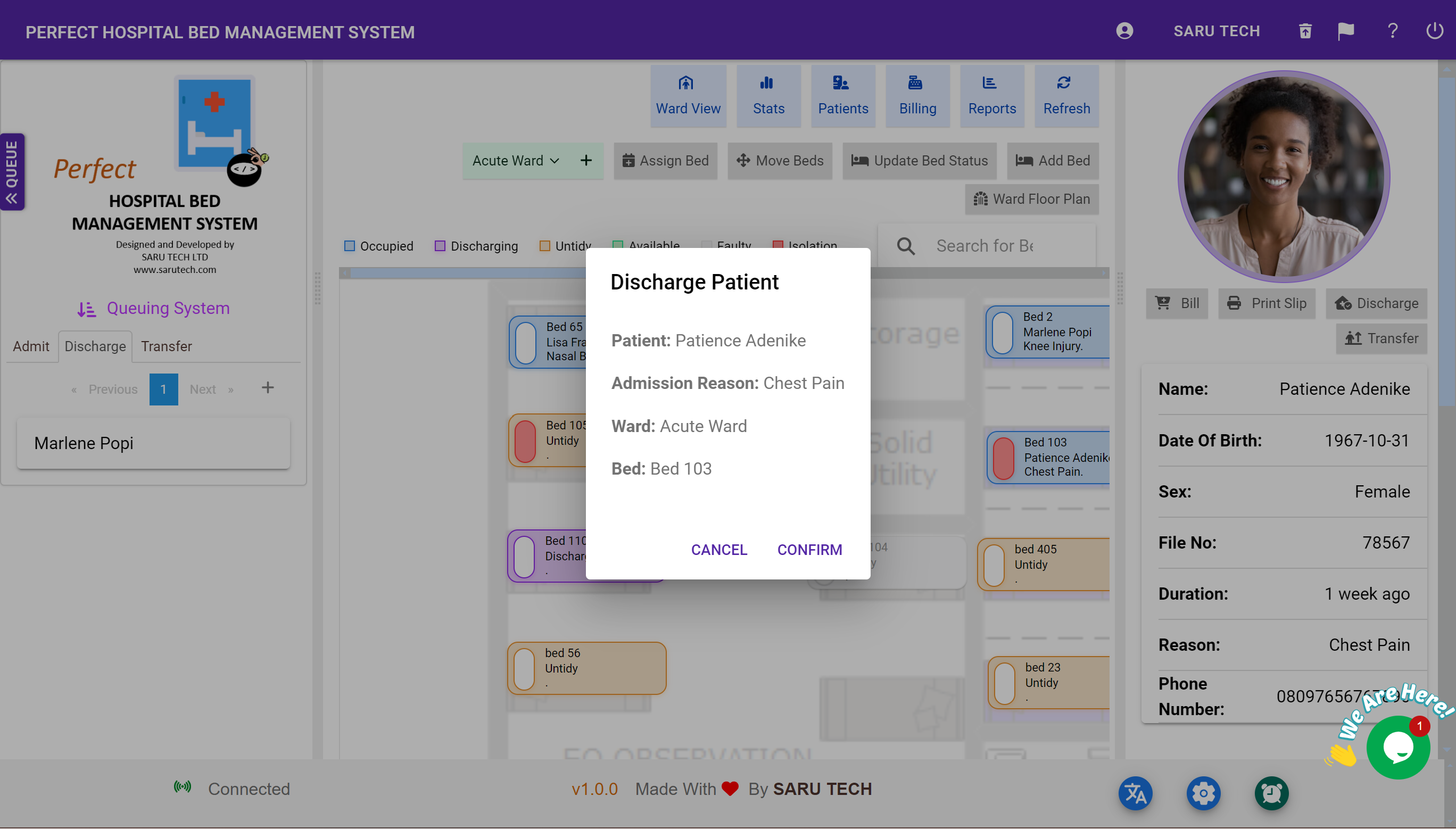
Bed Booking History
Keeping a detailed log of bed booking history, this feature provides valuable data that can be used for analyzing trends, planning future needs, and managing bed allocations more effectively. This historical data is essential for strategic planning and operational assessments.
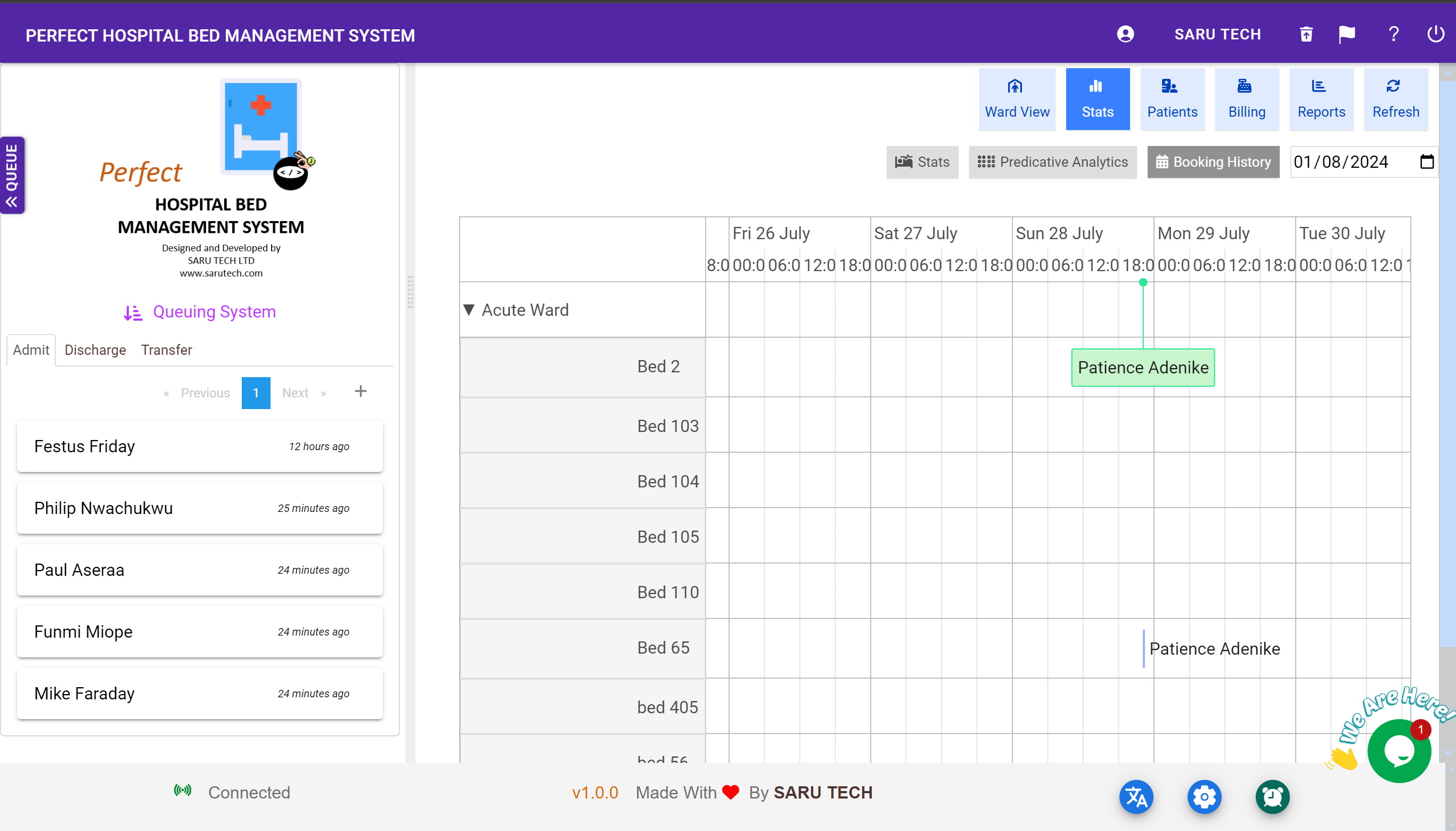
Beds Occupancy Monitoring
Continuous monitoring of bed occupancy rates is crucial for hospital management. This feature provides dynamic data on which beds are occupied, for how long, and when they are expected to become available, assisting in daily operational decisions and long-term capacity planning.
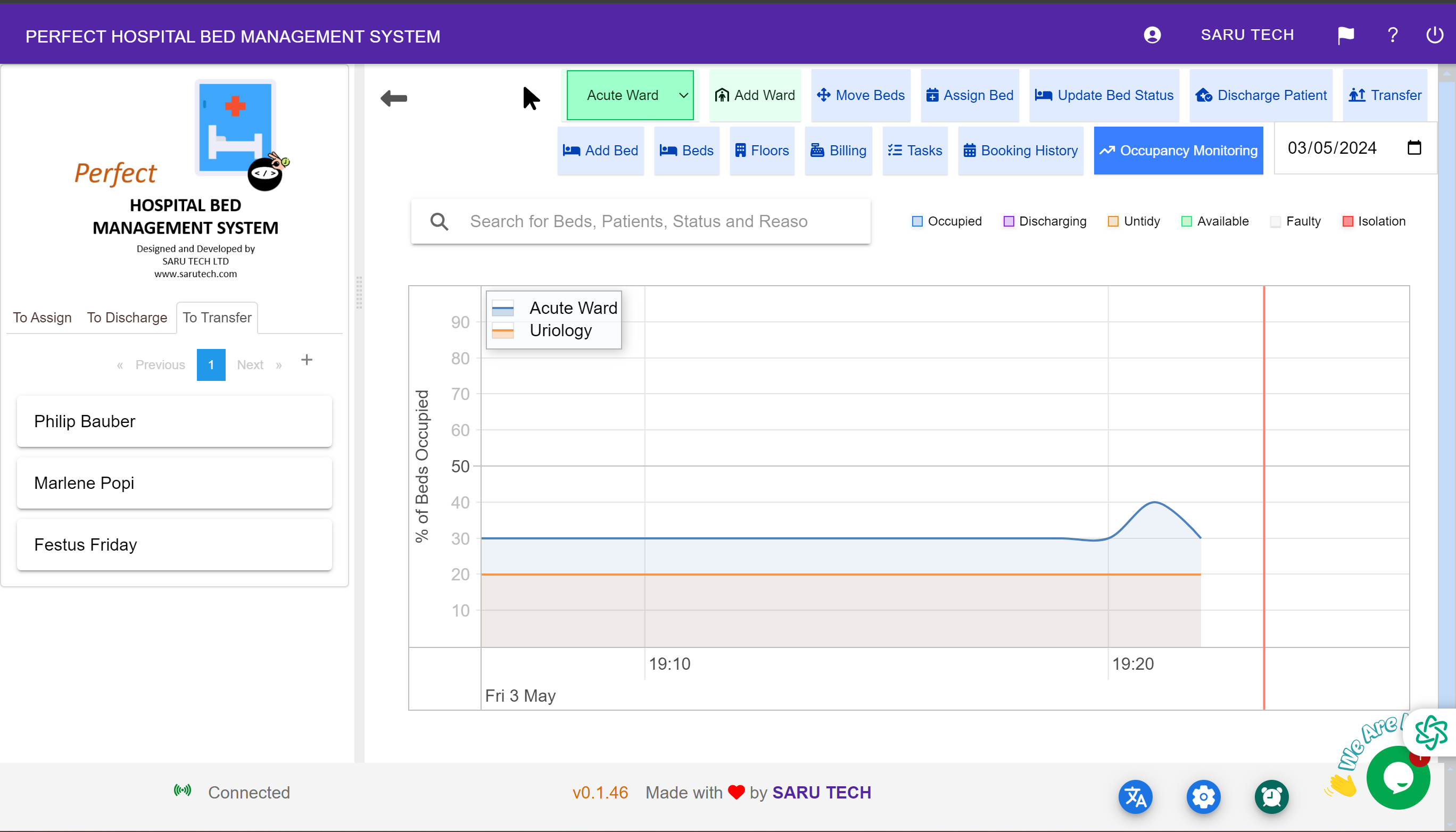
In-Patient Census and Management
The software automatically tracks hospital events to maintain an up-to-date census of inpatients, aiding effective resource management and informed decision-making regarding patient placement and capacity planning. It also includes the ability to manage patient information, treatment schedules, and clinical data, ensuring that all relevant information is accessible when needed for bed management decisions.
Billing System
The integrated billing system automates the financial aspects of bed management, including adjustments for bed type and associated care levels, ensuring accurate and timely billing.
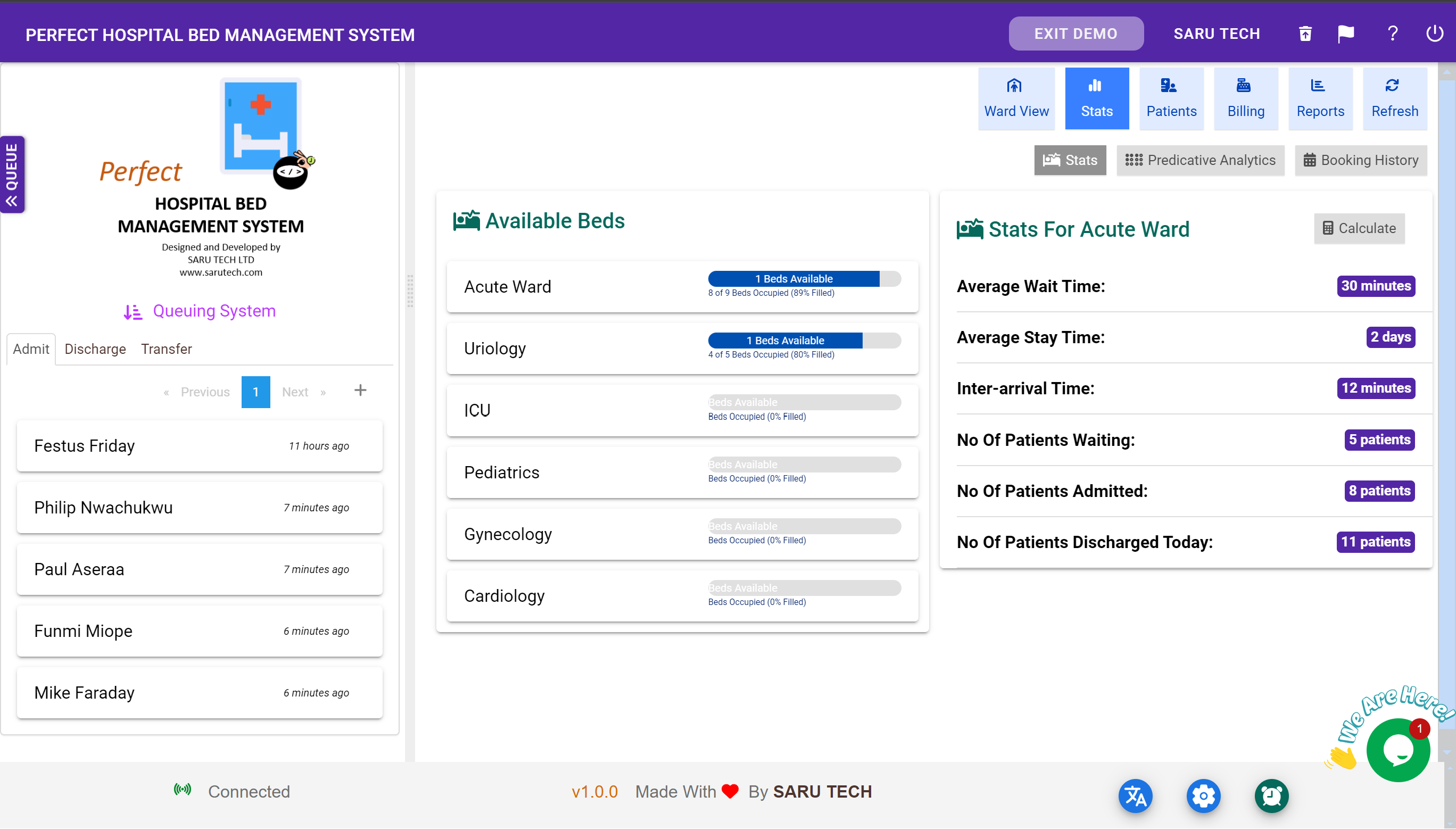
Dynamic Charts with Ability to Track Wait Times from the Queue
Dynamic charts provide real-time analytics on various metrics, including patient wait times. This feature allows hospital administrators to identify bottlenecks and implement strategies to reduce wait times, thereby improving patient satisfaction and operational efficiency.
Conclusion
The Perfect Hospital Bed Management System is an essential tool for modern healthcare facilities, designed to address the complexities of bed management with sophisticated technological solutions. By integrating digital twins, real-time monitoring, and dynamic patient management features, this system not only enhances the efficiency of hospital operations but also significantly improves the quality of patient care. With its comprehensive approach to managing hospital beds, the Perfect Hospital Bed Management System ensures that healthcare providers can focus on what truly matters—delivering excellent patient care.
Customer reviews
Typical workflow
- Check availability
- Assign or transfer the patient
- Track discharge and reports
Works with



Trusted by 5500+ Businesses in 60 Countries
Join thousands of healthcare providers worldwide who rely on our software for seamless management and better care.





Ready to modernize your workflow?
Start with the free offline version, then scale when your team is ready.
Offline & Online
Our system works seamlessly with or without an internet connection, ensuring uninterrupted operations in any environment.
Onboarding Support
Get personalised onboarding and migration assistance and support to ensure a smooth transition for your team.
User Permissions
Manage access levels and roles with a robust user permissions system to ensure security and appropriate information sharing.
100% Customizable
Tailor every aspect of the system to match your specific workflows and preferences, ensuring maximum efficiency.
Customer Support
SARU TECH provides dedicated, ongoing support to ensure smooth operation of the system

Dedicated Assistance
A dedicated Customer Success Representative will be assigned to your clinic to provide on-demand technical assistance and workflow support.

Multi-Channel Support
Support is available via chat, WhatsApp, and Zoom calls.
Online & Offline Access
The system is designed to work both online and offline, ensuring continuous service even in areas with limited internet connectivity. You also have the option of installing the system in your local area network.

Response Times
- Critical issues: Resolved within 2 hours
- High-priority issues: Resolved within 4 hours
- Low-priority issues: Resolved within 24 hours

System Maintenance
Regular system updates and feature enhancements are deployed to continuously improve performance, security, and usability.

Uptime Guarantee
We guarantee 99% uptime to ensure system availability and uninterrupted clinic operations.